728x90
오픈레이어스를 활용하여 객체를 편집하고, 이를 지오서버에 저장하여 DBMS에도 동기화 시키는 방법
(※ WFS-Transaction (WFS 트랜잭션) : 데이터의 변경(추가, 수정, 삭제)을 수행하기 위한 요청)
활용예시
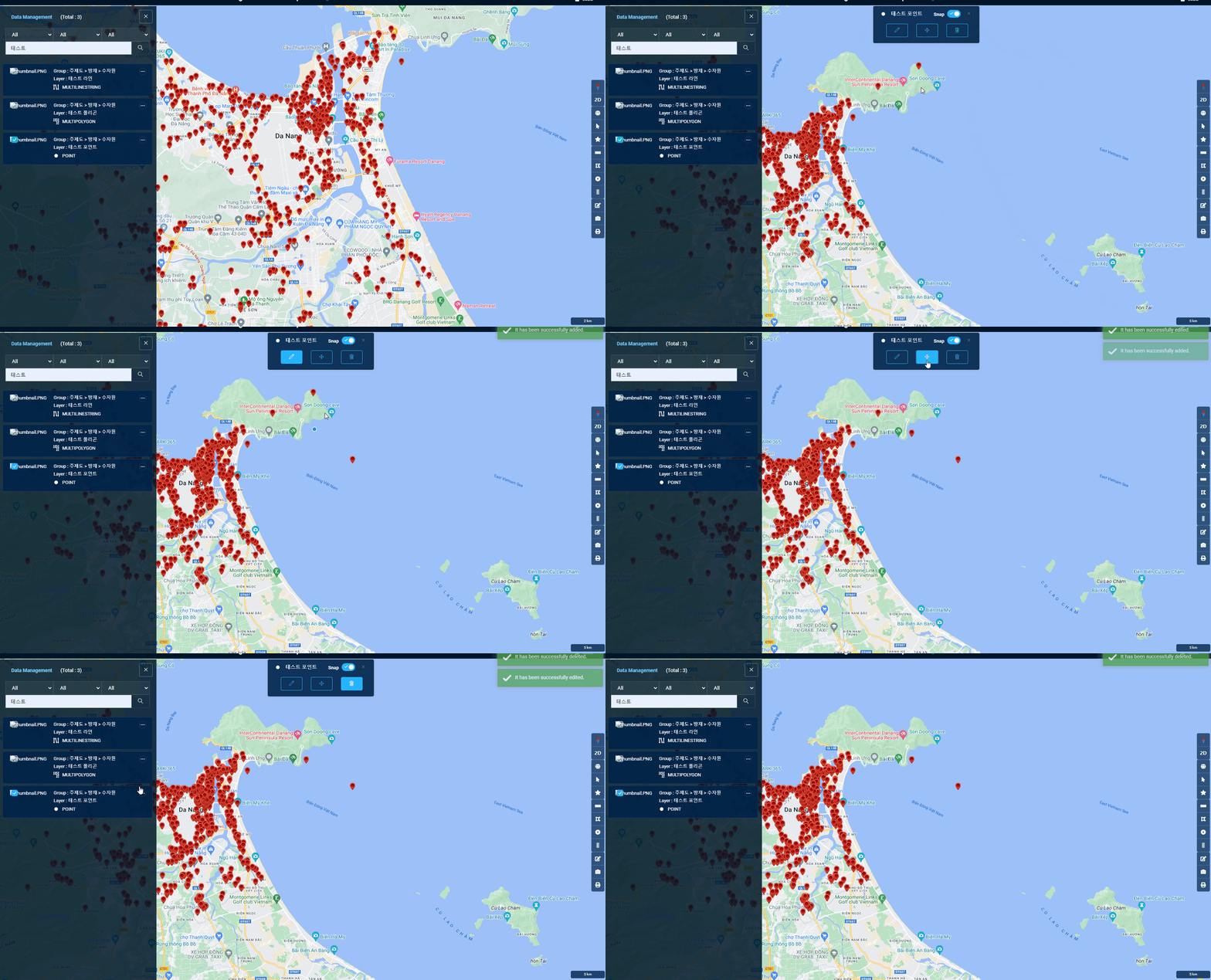
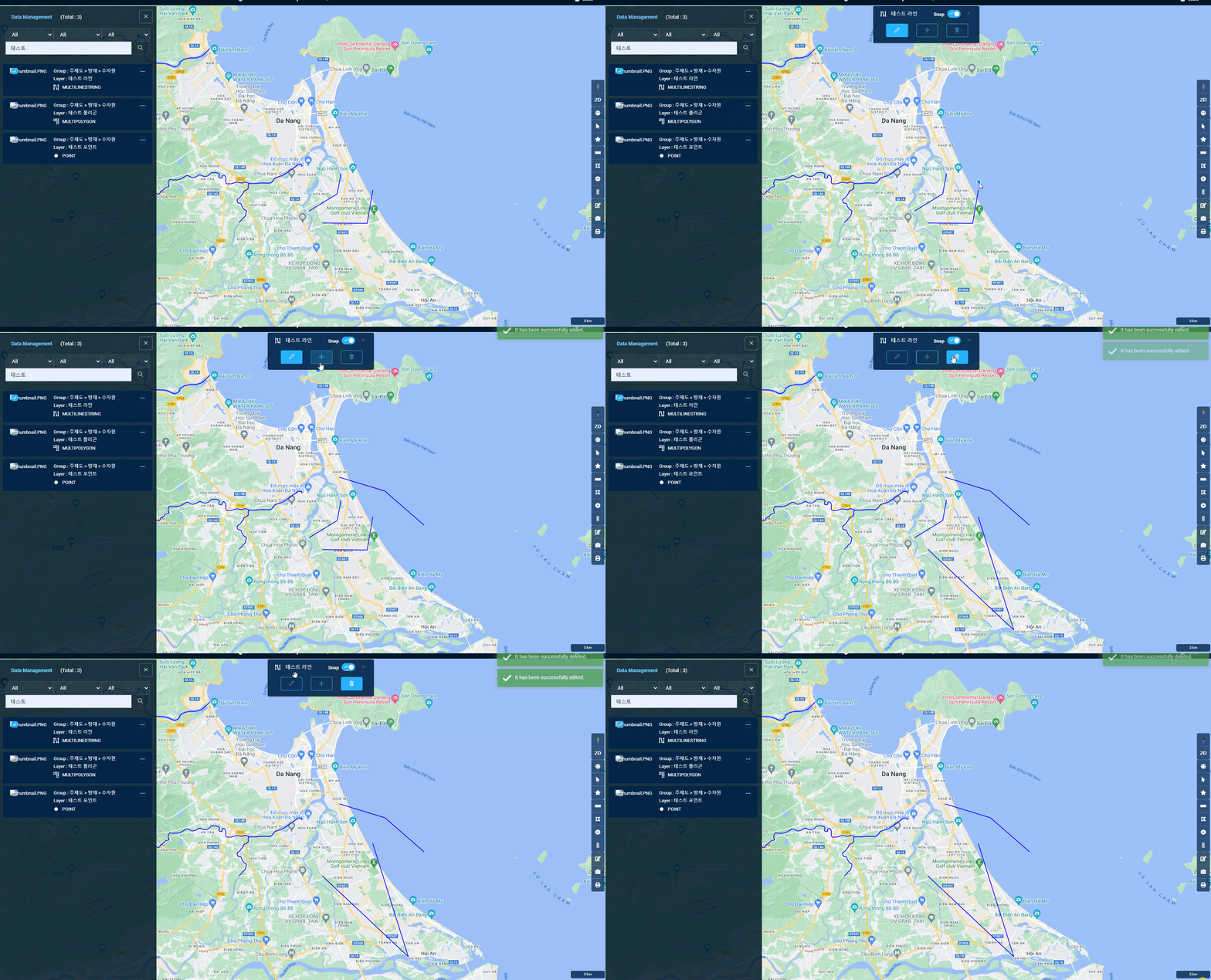

coordinates가 객체의 좌표값,
fid가 편집할 객체의 id,
projection은 좌표계라고 한다면
Point일 경우,
// 좌표 추출
var x = coordinates[0];
var y = coordinates[1];

var geomXML = 	'<gml:Point srsName="' + projection + '">' +
                '<gml:coordinates>' + x + ',' + y + '</gml:coordinates>' +
            '</gml:Point>';
Line 또는 MultiLineString일 경우,
// 좌표를 문자열로 변환
var coordinatesString = coordinates.map(coord => coord.join(',')).join(' ');

var geomXML = '<gml:MultiLineString srsName="' + projection + '">' +
            '<gml:lineStringMember>' +
                '<gml:LineString>' +
                    '<gml:coordinates>' + coordinatesString + '</gml:coordinates>' +
                '</gml:LineString>' +
            '</gml:lineStringMember>' +
          '</gml:MultiLineString>'
Polygon 또는 MutliPolygon일 경우,
// 좌표를 문자열로 변환
var coordinatesString = coordinates.map(coord => coord.join(' ')).join(' ');
coordinatesString += ' ' + coordinates[0].join(' ');	// Polygon 유형은 첫좌표와 끝좌표가 동일해야하므로

var geomXML = '<gml:MultiPolygon srsName="' + projection + '">' +
             '<gml:polygonMember>' +
                '<gml:Polygon>' +
                    '<gml:exterior>' +
                        '<gml:LinearRing>' +
                          '<gml:posList>' + coordinatesString + '</gml:posList>' +
                        '</gml:LinearRing>' +
                    '</gml:exterior>' +
                 '</gml:Polygon>' +
             '</gml:polygonMember>' +
          '</gml:MultiPolygon>'
AJAX를 사용하여 WFS Transaction 요청 보내기
// WFS Transaction 요청 생성
var wfsTransactionRequest =
      '<wfs:Transaction ' +
      'xmlns:wfs="http://www.opengis.net/wfs" ' +
      'xmlns:gml="http://www.opengis.net/gml" ' +
      'xmlns:ogc="http://www.opengis.net/ogc" ' +
      'xmlns:xsi="http://www.w3.org/2001/XMLSchema-instance" ' +
      'xmlns:feature="http://저장소명" ' +
      'service="WFS" version="1.2.0" ' +
      'xsi:schemaLocation="http://www.opengis.net/wfs ' +
      'http://schemas.opengis.net/wfs/1.0.0/WFS-transaction.xsd">' +
          '<wfs:Update typeName="저장소명:' + 테이블명 + '">' +
              '<wfs:Property>' +
                  '<wfs:Name>geom</wfs:Name>' +
                  '<wfs:Value>' + geomXML + '</wfs:Value>' +
              '</wfs:Property>' +
              '<ogc:Filter>' +
                '<ogc:FeatureId fid="' + fid + '"/>' +
            '</ogc:Filter>' +
          '</wfs:Update>' +
      '</wfs:Transaction>';

// AJAX를 사용하여 WFS Transaction 요청 보내기
$.ajax({
    url: '지오서버주소/wfs',
    type: 'POST',
    dataType: 'text',
    data: wfsTransactionRequest,
    contentType: 'text/xml',
    success: function (data) {

        toastr.success('It has been successfully edited.');

        // 레이어 조회하는 로직 추가

    },
    error: function (xhr, status, error) {
        console.error(error);
    }
});
- 추가적으로 지오서버에서 작업공간 → security → Grant access to any role 설정
- 주의해야할 점은 feature의 url은 저장공간의 url (지오서버에서 설정한 url)
728x90
'GIS Development' 카테고리의 다른 글
| Git으로 협업하기! (0) | 2024.02.17 |
|---|---|
| JWT 토큰 기반 로그인시 Spring Security 설정 (0) | 2023.12.12 |
| 약속장소 정하기 (2) - 다익스트라 알고리즘(Dijkstra Algorithm)으로 최단경로 찾기 (0) | 2023.11.29 |
| 약속장소 정하기 (1) - Geocoding과 Reverse Geocoding (0) | 2023.11.28 |
| REST API로 지오서버 리로드(geoserver reload)하기 (1) | 2023.11.21 |