728x90
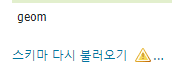
wfs로 불러온 데이터를 편집할때, 컬럼을 추가하거나 삭제하면 바로 DB 반영이 되지 않음
지오서버에 들어가서, 직접 '스키마 다시 불러오기'를 눌러주어야만 실제 DB에도 연동이 된다.

REST API를 활용하면, 특정 함수가 실행될때마다 자동으로 지오서버가 reload 되도록 할 수 있음.
(대신 Authorization은 'Basic 아이디:비밀번호' 형식으로 넣어주기)
단순히 "지오서버주소/geoserver/rest/reload" 형식으로 요청을 보내도 되지만, 프록시 서버로 우회하여 이 요청을 보내야할 경우 아래 코드 참고
// AJAX POST 요청 보내기
$.ajax({
    url: "/gis/reload.do",
    type: "POST",
    data: JSON.stringify({
        name: "저장소명:" + tableName
    }),
    dataType: "text",
    contentType: 'application/xml',
    processData: false,
    success: function (data) {

        // 성공시 로직 추가

    },
    error: function (xhr, status, error) {
        console.error("Layer reload failed. Error: " + error);
    }
});
@RequestMapping(value = "/gis/reload.do", method = RequestMethod.POST)
public ResponseEntity<byte[]> postRest(HttpServletRequest request, @RequestBody String source)
throws IOException {
ResponseEntity<byte[]> result = null;
String geoserver = globalProperties.getProperty("Globals.geoserver.url");
String url = geoserver + "/geoserver/rest/reload";
if (StringUtils.isNotBlank(request.getQueryString())) {
url += "?" + request.getQueryString();
}
HttpPost httpPost = new HttpPost(url);
// geoserver의 id와 pw
String credentials = globalProperties.getProperty("Globals.geoserver.authorization");
String authorizationHeader = "Basic " + Base64.getEncoder().encodeToString(credentials.getBytes(StandardCharsets.UTF_8));
httpPost.setHeader("Charset", "UTF-8");
if (source.trim().startsWith("<") || source.trim().startsWith("%3C")) {
httpPost.setHeader("Content-Type", "application/xml");
httpPost.setEntity(new StringEntity(source, Charset.defaultCharset()));
} else {
String c = request.getContentType();
if (c.contains(";")) {
c = c.trim().split(";")[0];
}
httpPost.setHeader("Content-Type", c);
httpPost.setHeader("Authorization", authorizationHeader); // Authorization을 헤더에 추가
byte[] postData = source.getBytes();
httpPost.setEntity(new ByteArrayEntity(postData));
}
try (CloseableHttpClient httpClient = HttpClients.createDefault();
CloseableHttpResponse httpResponse = httpClient.execute(httpPost)) {
HttpEntity entity = httpResponse.getEntity();
return ResponseEntity.status(httpResponse.getStatusLine().getStatusCode())
.cacheControl(
httpResponse.getStatusLine().getStatusCode() < 400
? CacheControl.maxAge(3600, TimeUnit.SECONDS)
: CacheControl.noCache())
.contentType(
Optional.ofNullable(entity.getContentType())
.map(contentType -> MediaType.parseMediaType(contentType.getValue()))
.orElse(MediaType.APPLICATION_OCTET_STREAM)
)
.contentLength(Optional.ofNullable(entity.getContentLength()).orElse(-1L))
.body(StreamUtils.copyToByteArray(entity.getContent()));
} catch (Exception e) {
return result;
}
}
※ Properties 파일안에 지오서버의 url과 Authorization을 넣어줌 (Globals.geoserver.~)
※ Header에 Authorization을 넣어주고, try catch 구문에 null 값을 처리하는 로직을 넣어줌
728x90
'GIS Development' 카테고리의 다른 글
| Git으로 협업하기! (0) | 2024.02.17 |
|---|---|
| JWT 토큰 기반 로그인시 Spring Security 설정 (0) | 2023.12.12 |
| 약속장소 정하기 (2) - 다익스트라 알고리즘(Dijkstra Algorithm)으로 최단경로 찾기 (0) | 2023.11.29 |
| 약속장소 정하기 (1) - Geocoding과 Reverse Geocoding (0) | 2023.11.28 |
| 오픈레이어스로 편집한 객체를 지오서버에 저장하는법 : WFS-Transaction (0) | 2023.11.20 |